An ecosystem of apps that connects apartment residents, management boards, shop owners, and building technicians — all in one place.
CyHome is a digital ecosystem designed to improve life inside apartment buildings. It connects three different groups of users through a shared set of products.
I was the UI/UX Designer for this ecosystem. I worked with a product manager and development teams across multiple products. I was responsible for user research, defining user flows, creating wireframes, designing the UI, and coordinating design consistency across all three applications.
Living in an apartment building involves a lot of coordination — between residents and management, between residents and local shops, and between management and their technical staff. Without a shared system, these interactions become slow and frustrating.
For management: Reduce manual administrative work, improve resident satisfaction, and have a single platform to control all building operations.
For residents: Make daily living — paying, booking, communicating — as easy as using any modern app.
"I want to pay all my apartment fees in one place, without going to the office or waiting in line."
Resident
"I want to send a notice to all residents instantly, and know who has read it."
Management board member
I started by talking to residents and management staff to understand how they currently handle fees, complaints, and communication. Most of the pain came from a lack of a shared system — residents called or came in person; management used spreadsheets and paper notices.
I also reviewed similar products in the market to identify what features residents already expect from a modern building app.
Because this is an ecosystem with three products, I had to design the connections between apps, not just individual screens. I mapped how each user type interacts with the others — for example, how a resident's service request flows to the management dashboard and then to a technician's task list.
I designed the UI with these principles in mind:
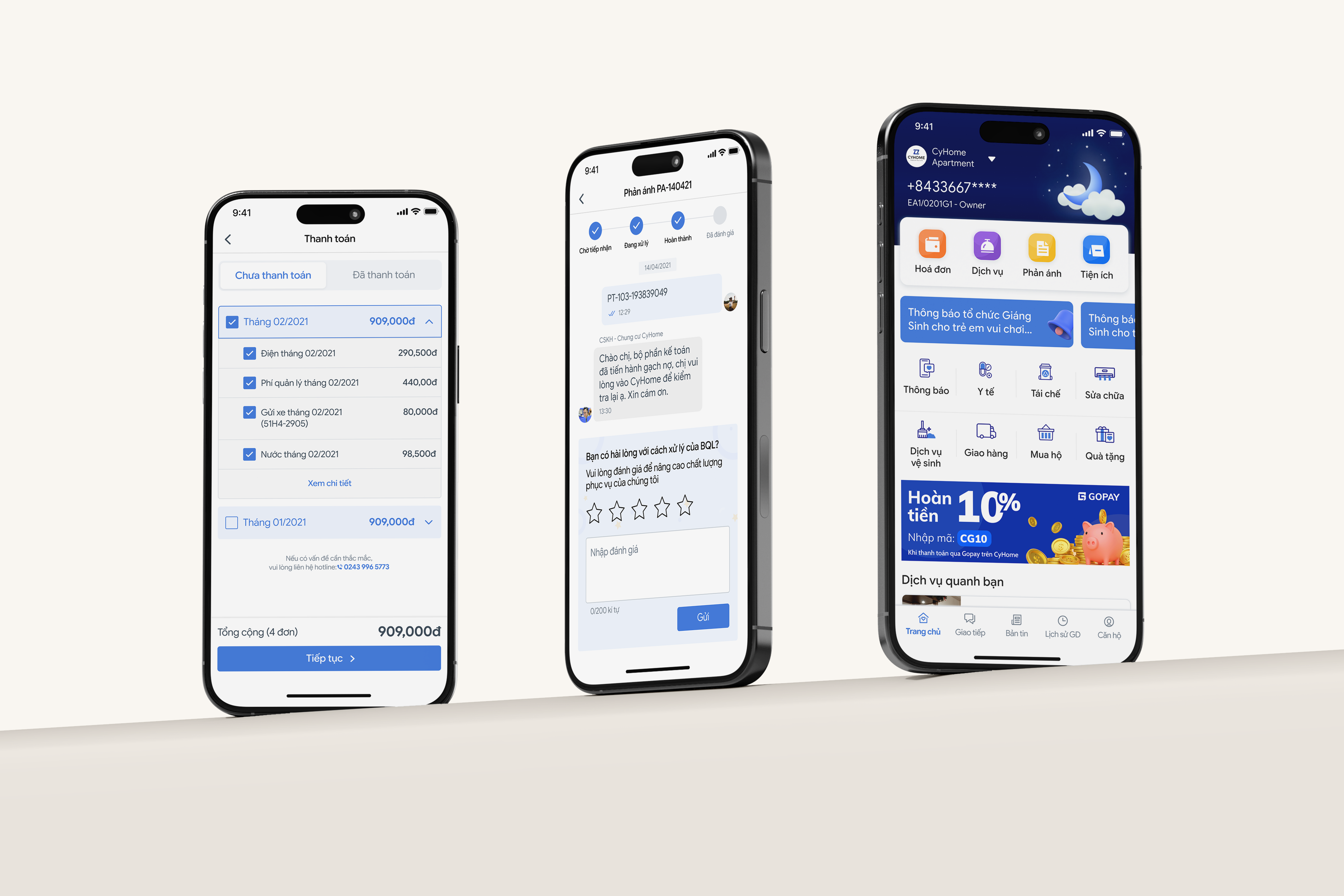
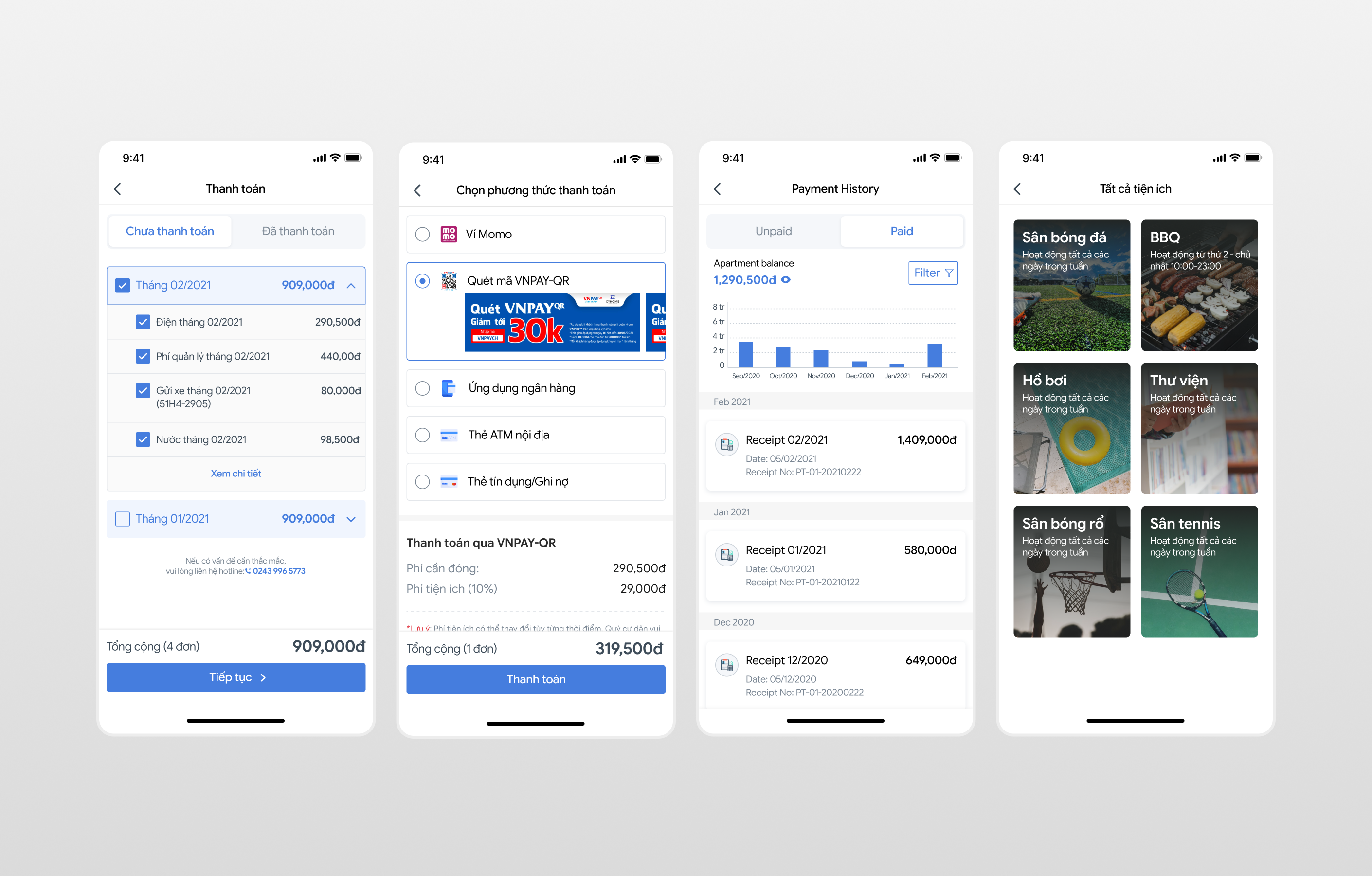
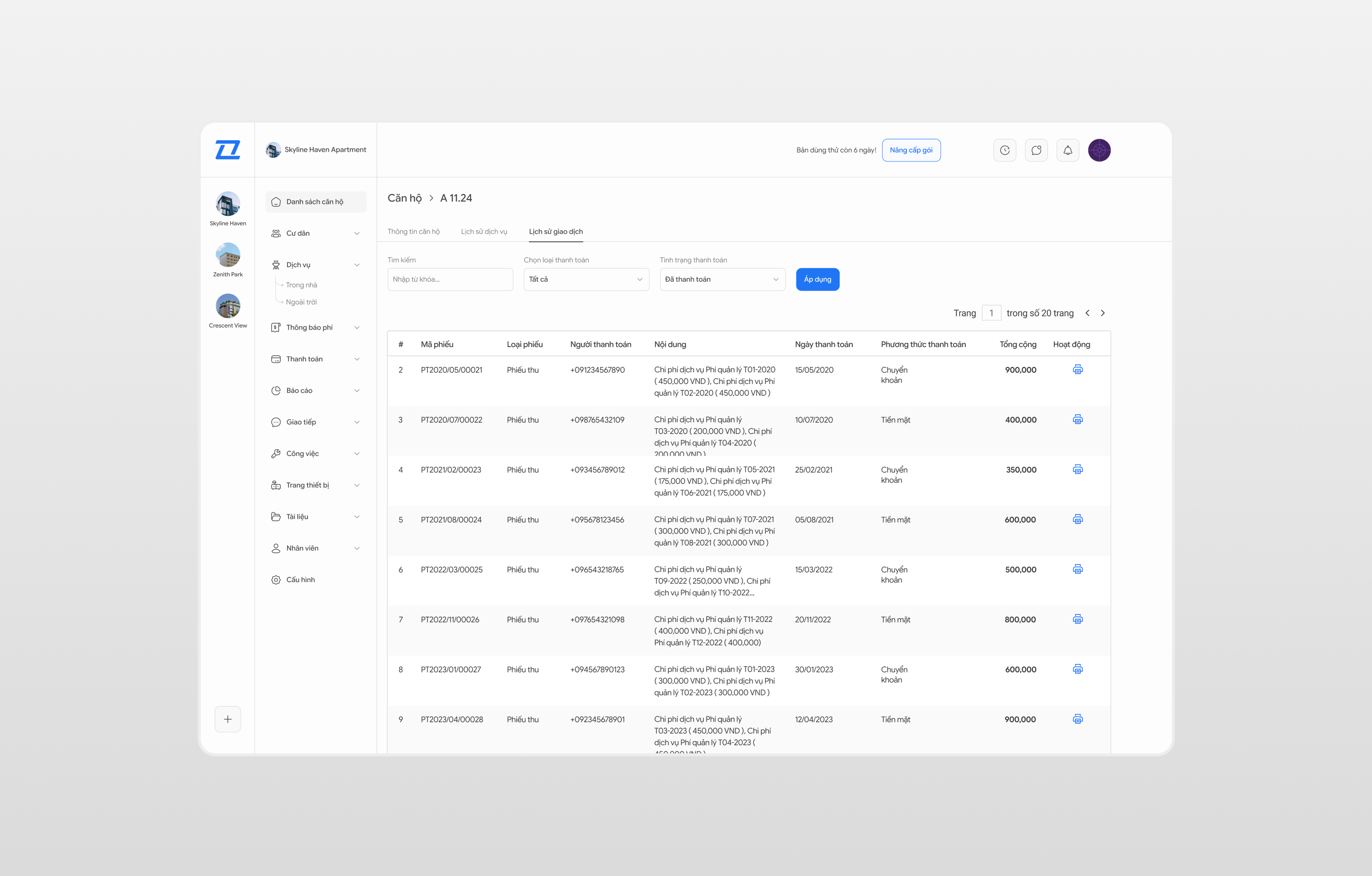
Residents can view all outstanding fees — management, utility, and service — that are entered by the management board from the PMS system. They can pay in one tap using multiple payment methods, and pay on behalf of family members in other units.
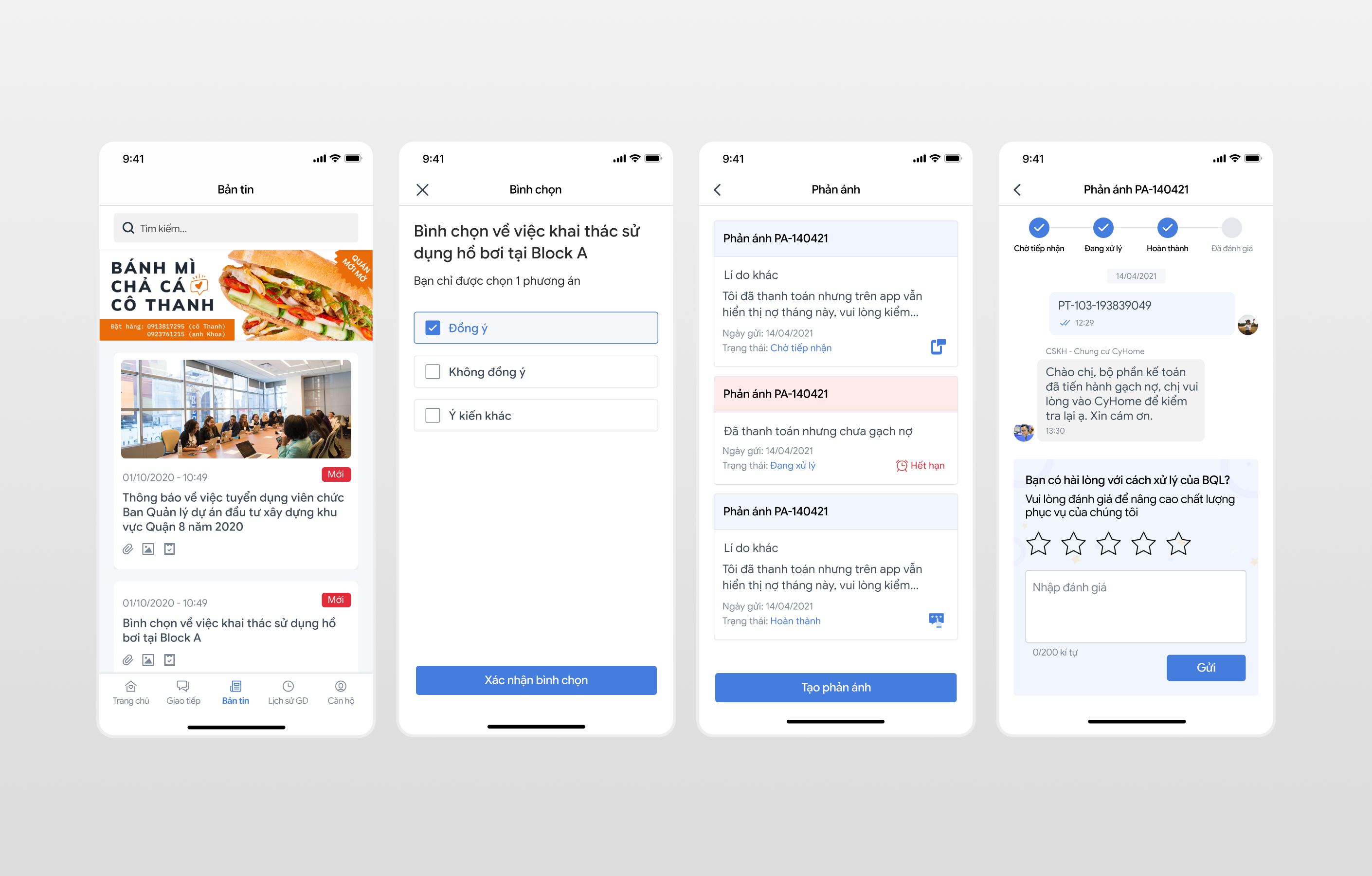
A private messaging channel lets residents report problems directly to management and track the status of their requests. Management can respond, escalate to technicians, or close the request — all within the same thread.
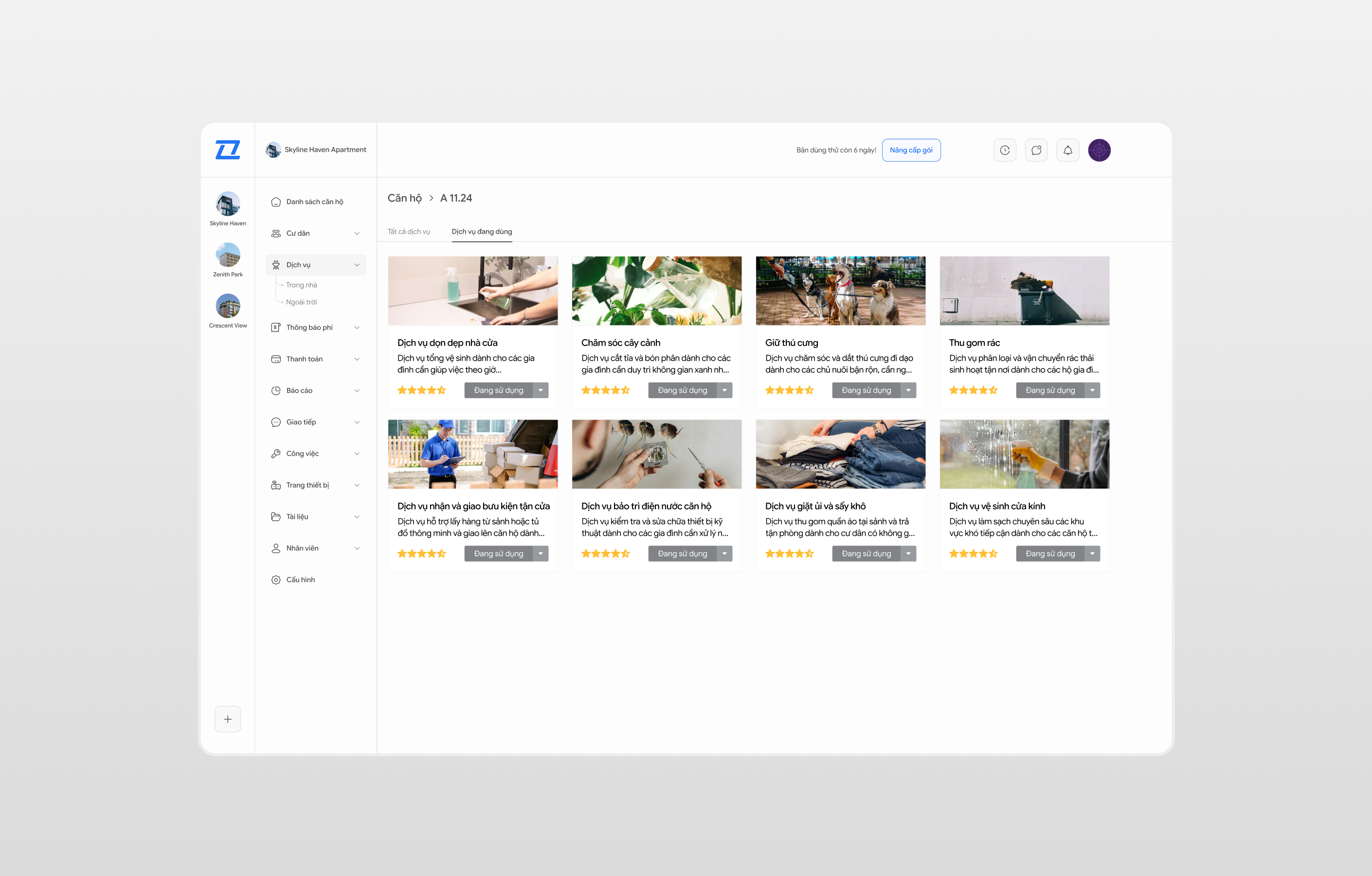
Management can list services and shops available inside the building. Residents browse, book, and pay through the app. Shop owners receive orders through their dedicated merchant app and can manage their service listings independently.
Management can publish announcements with attachments (PDF, images) directly through the web app. Residents receive push notifications immediately. The app also supports in-app voting for apartment conferences — residents can cast their vote digitally without needing to attend in person.
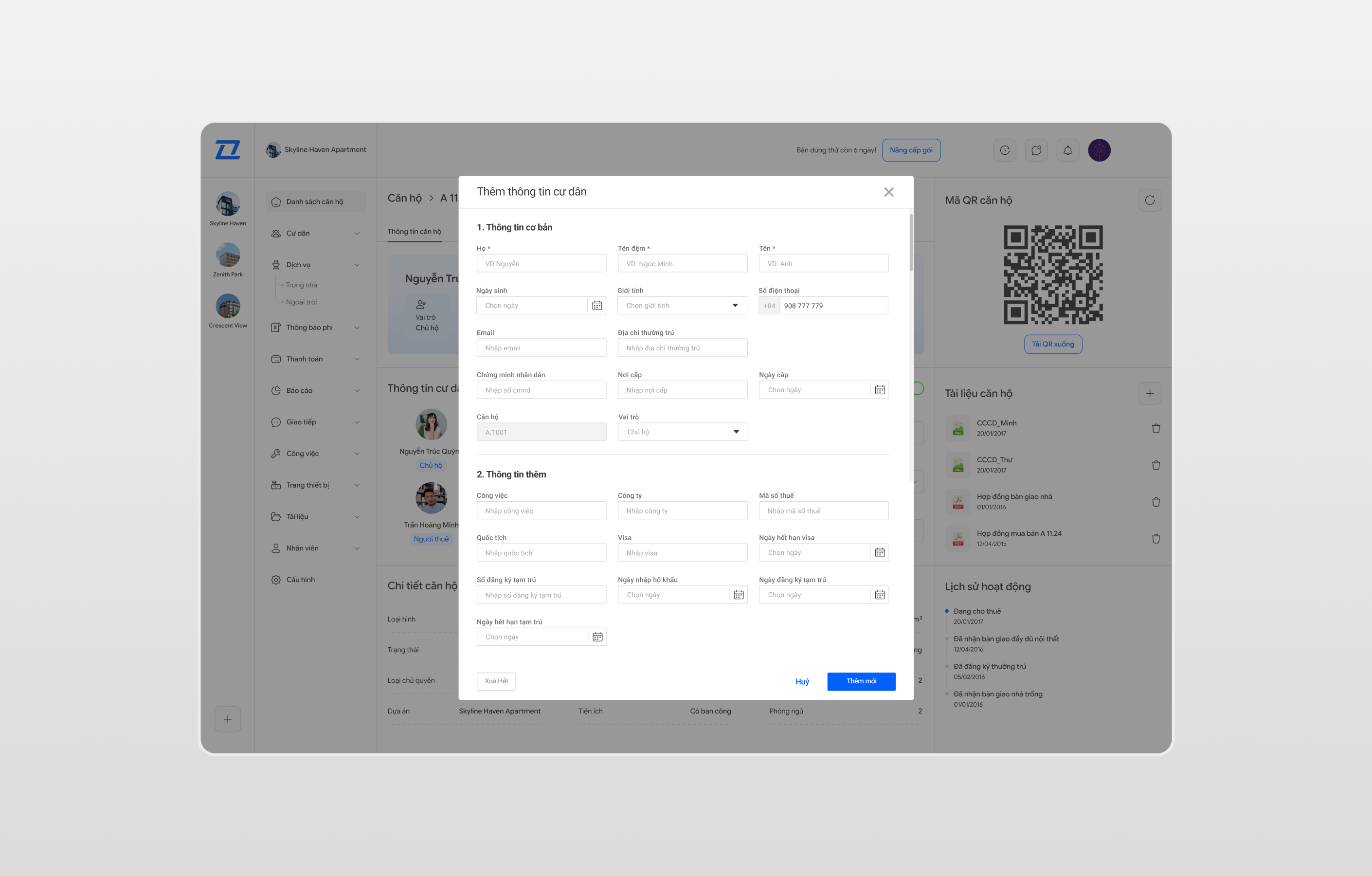
Residents can declare household members living in their unit. Management reviews and confirms each registration. This gives lessors and management a clear, verified view of who is in each apartment at any time.
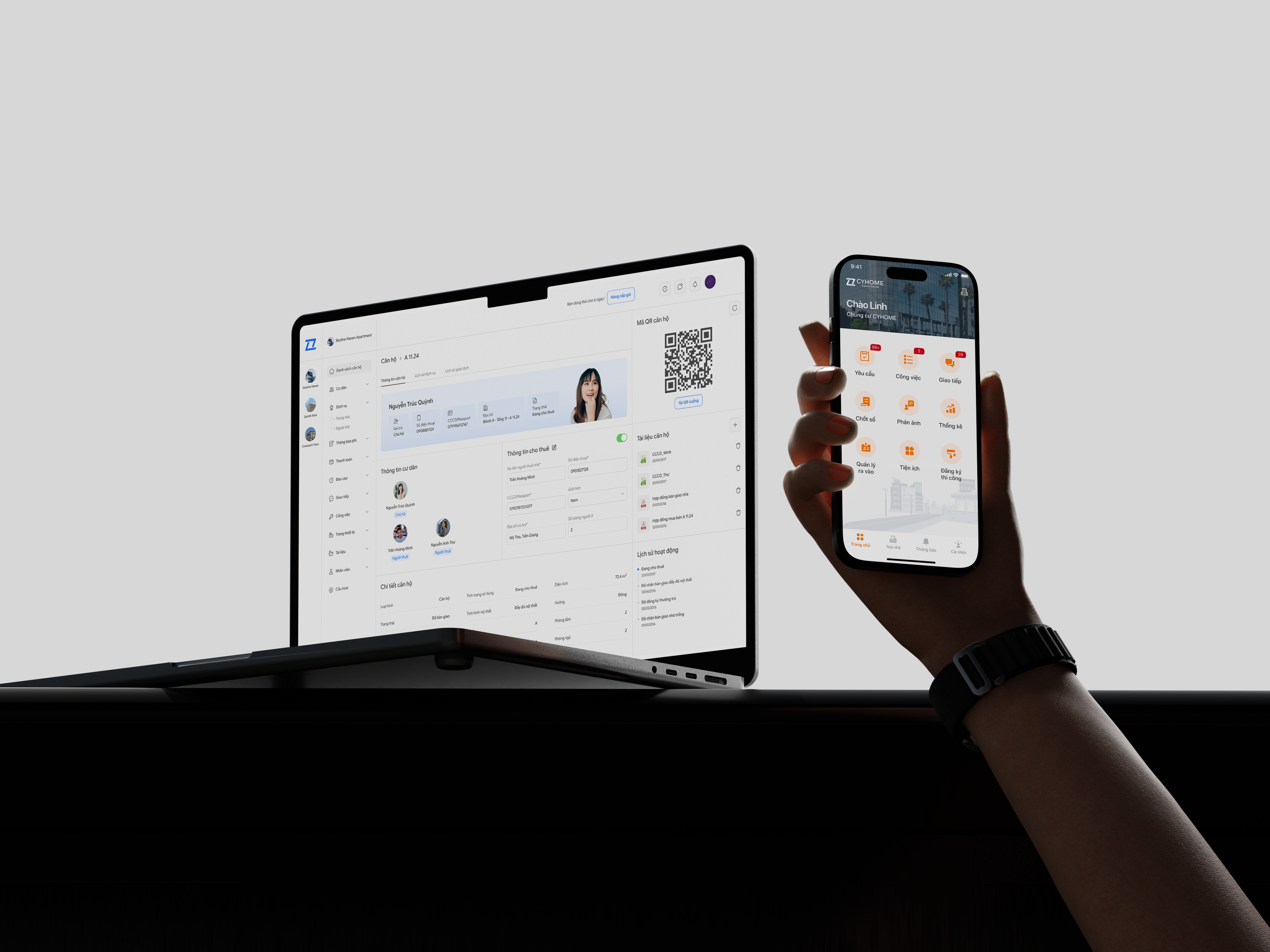
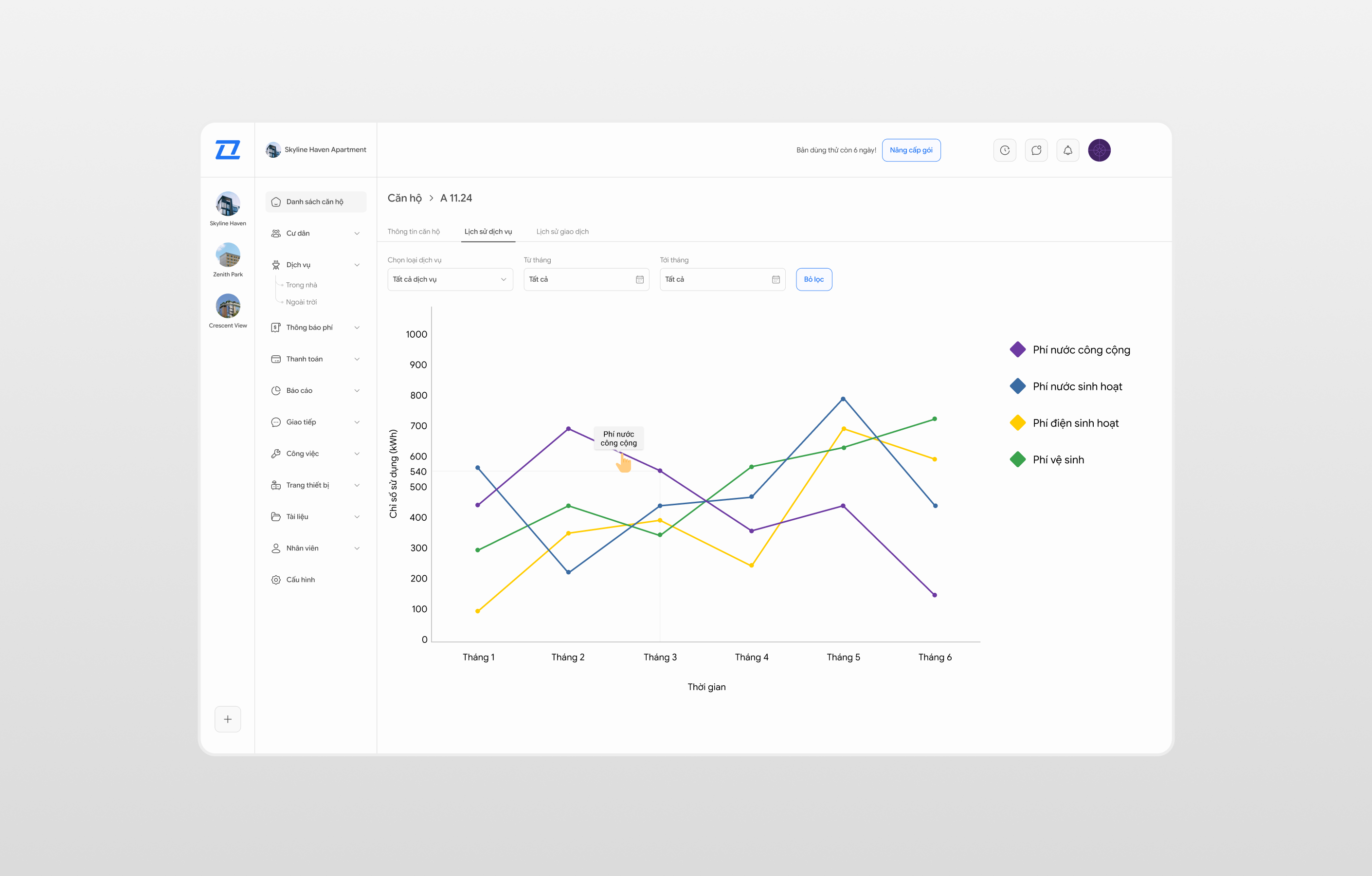
The web app is the control centre for building management staff. It gives them a full view of every resident, apartment, fee, and request in the building — all from one dashboard. Key features include resident and apartment directory, fee publishing connected to the PMS system, announcement management, service listings, and a reports dashboard to monitor building operations.
Building technicians use a dedicated mobile app to receive and manage maintenance jobs. When a resident submits a complaint through the resident app, management can assign it to a technician directly. The technician sees it on their task list, updates the status as they work, and closes the job when done — keeping everyone in the loop without a single phone call.
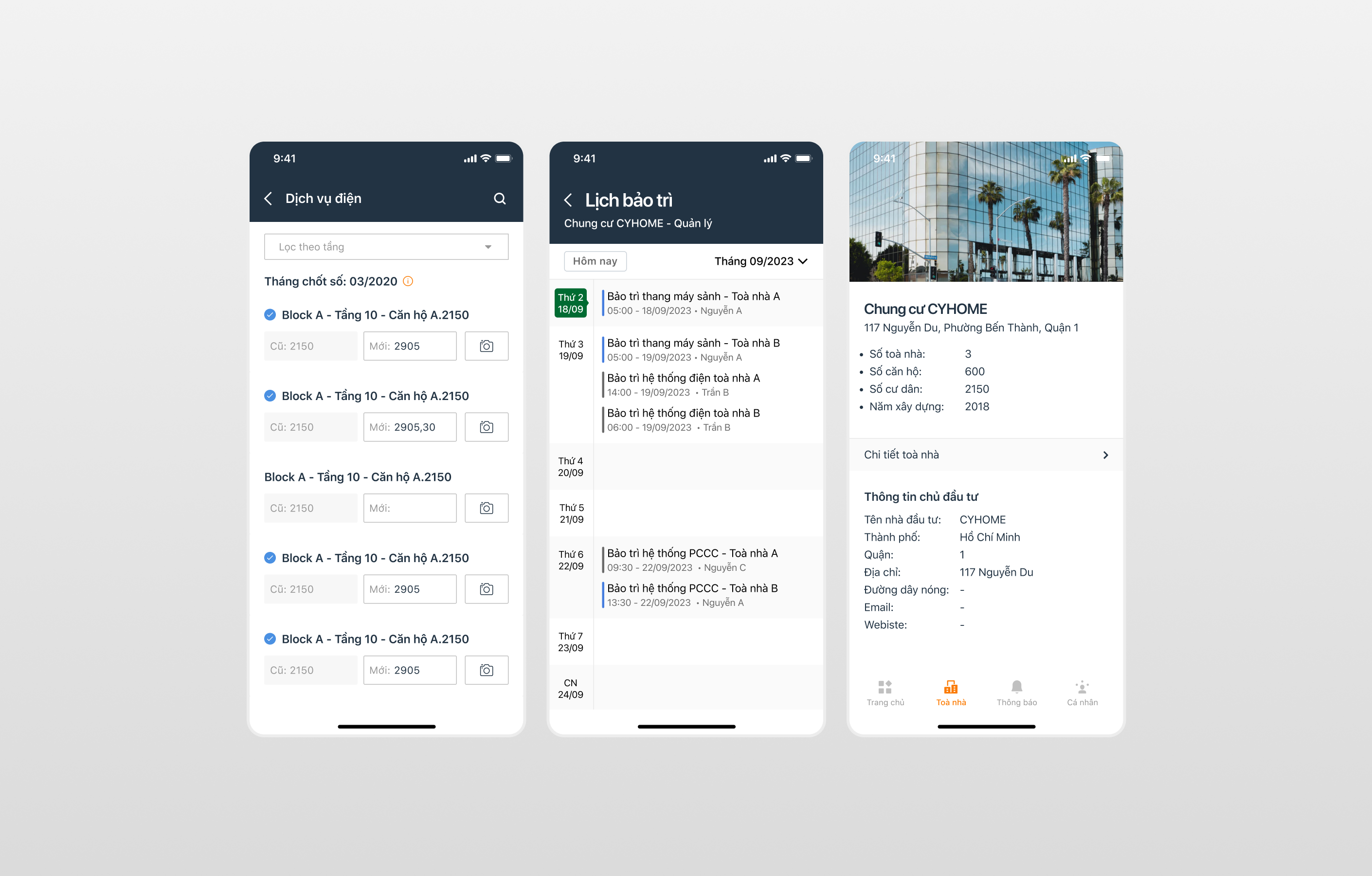
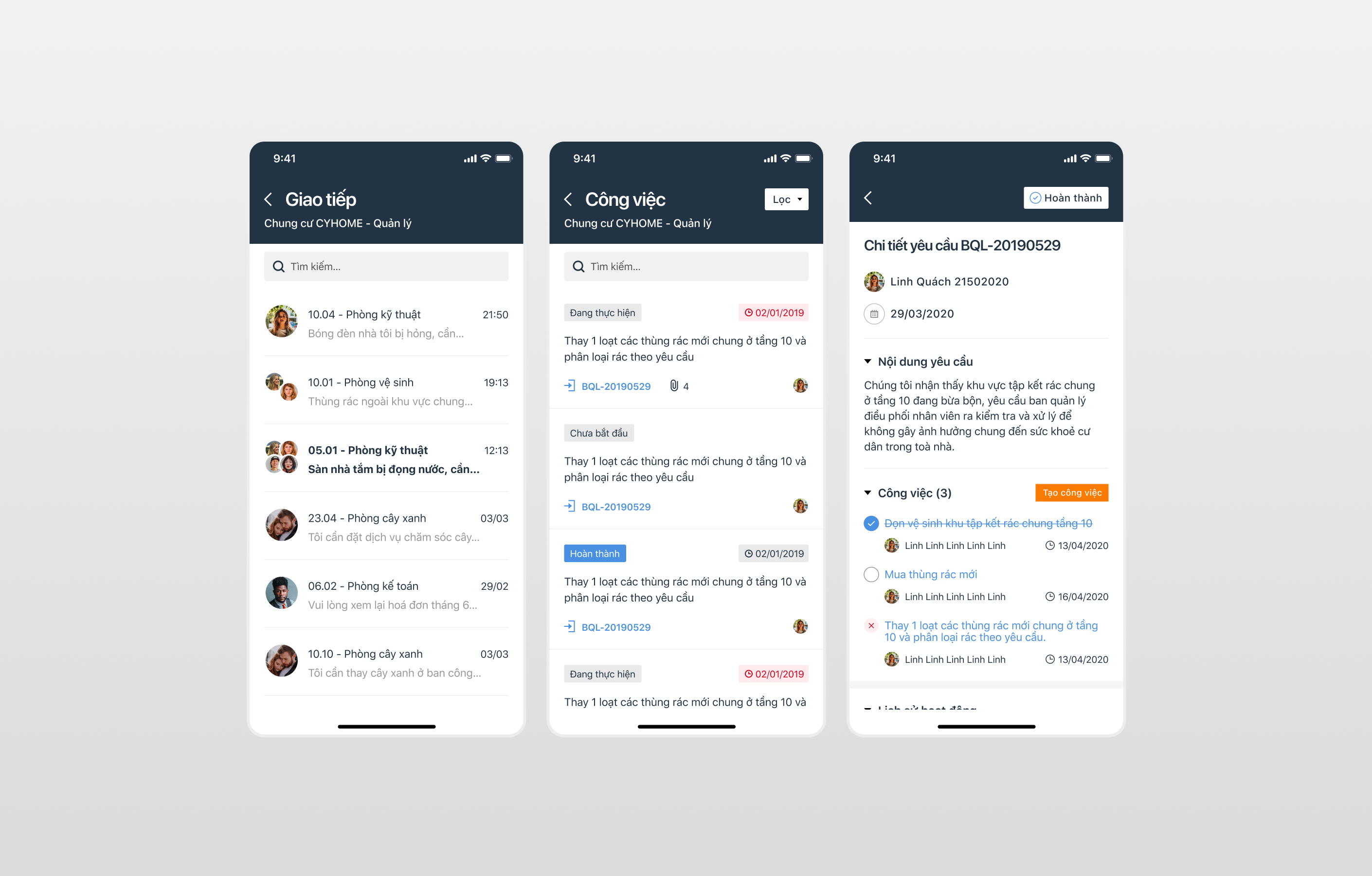
All other products — the management web app, the merchant app, and the technical app — exist to serve the resident experience. I made this a guiding principle from the start. Every feature in the management dashboard has a direct effect on what residents see and can do. Designing with this mindset kept us from building admin-heavy tools that residents would never benefit from.
Some products in this space use public group chats for resident-management communication. I chose private one-on-one channels instead. This protects resident privacy, reduces noise for management, and makes it easier to track each issue from submission to resolution.
Apartment conferences often require residents to vote on building decisions (management contracts, fees, new rules). Instead of a separate module, I embedded voting directly into the news feed article. Residents read the context and vote without leaving the screen — this improved completion rates during testing.
Residents do not enter their own fee amounts. All fees are published by management through the PMS integration. This eliminates disputes and errors, and gives management a single source of truth for payment status.
Working on this project, I learned that designing an ecosystem is very different from designing a single app. Every decision can affect other products, so I had to think carefully about how everything connects. I also learned that different users think in very different ways — a resident just wants to finish a task, while a management officer needs to see the full picture. At the same time, working with multiple teams taught me that clear communication and good documentation are just as important as the design itself. The project was not perfect when it launched, but seeing real people use it every day made all the effort feel worthwhile.